
The INA (Initial Nursing Assessment) AI QA is your clinical co-pilot, designed to slash charting time, reduce nurse burnout, and ensure every admission is "survey-ready" from day one.
How to Run the AI QA Review
Once you have completed your assessment data entry:
Expand the AI Panel: Click on the AI Bot icon on the right side of the screen.
Initiate Review: Click the "New Document Review" button.
Processing: The AI will perform a comprehensive analysis. This typically takes 60–90 seconds to complete.
Review Results: The side panel will populate with three tabs: Compliance, Guidance, and Draft Summary.
Core Feature Breakdown
1. Compliance & Quality Assurance
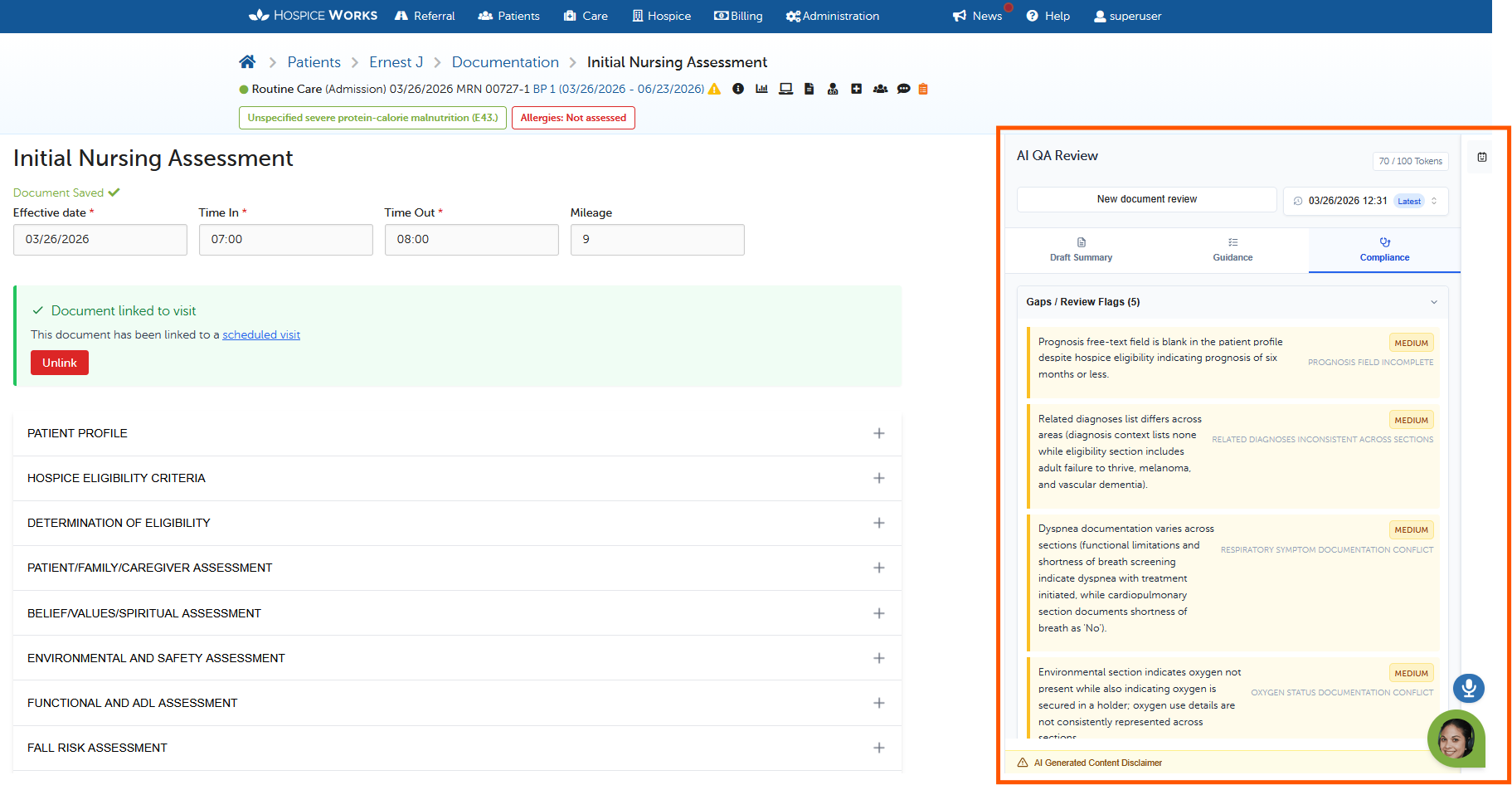
The Compliance tab is your safety net. After the review, the AI checks your assessment to:
Flag Gaps: Identifies inconsistencies (e.g., if a patient's prognosis is 6 months or less, but the documented symptoms don't fully support that prognosis yet).
Terminal Diagnosis Validation: Confirms the primary diagnosis is robustly supported by the clinical evidence provided.
Claim Acceptability: Reviews ICD-10 codes against regulatory standards to ensure documentation meets billing requirements (note: this does not guarantee payment).
2. Clinical Guidance & Care Planning
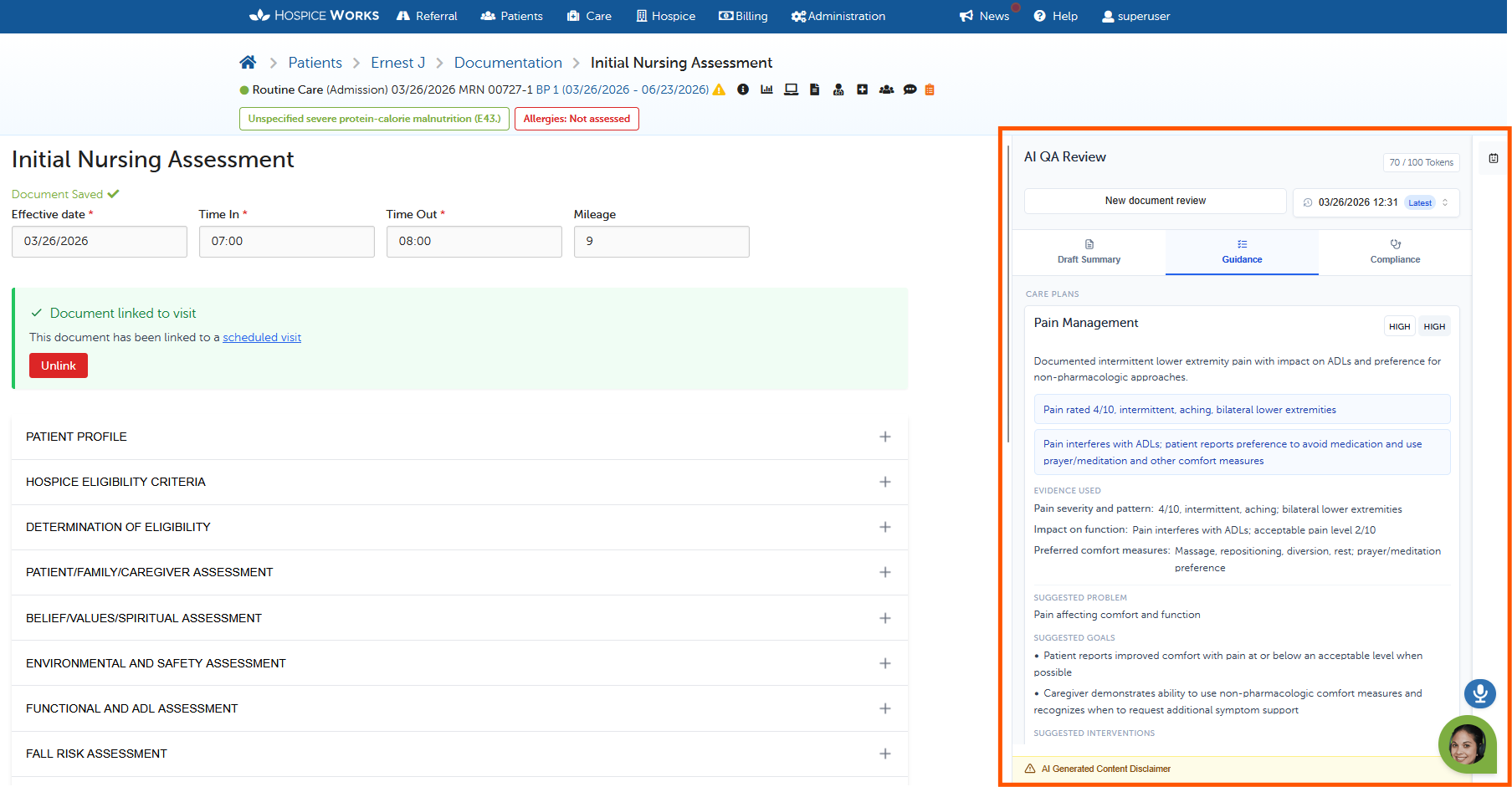
The Guidance tab acts as a clinical co-pilot, helping you build a holistic plan:
Draft Care Plans: Get instant recommendations for pain management, nutrition, fall risks, and more.
Evidence-Based Rationales: The AI doesn't guess; it shows the "Evidence Used" from your own notes to justify its suggestions.
Medication & Treatment: Identifies potential needs for symptom management or DME (like wheelchairs).
Interdisciplinary Assignments: Recommends visits from Social Work, Chaplains, or Aides based on patient needs.
3. The "Draft Summary" Assist
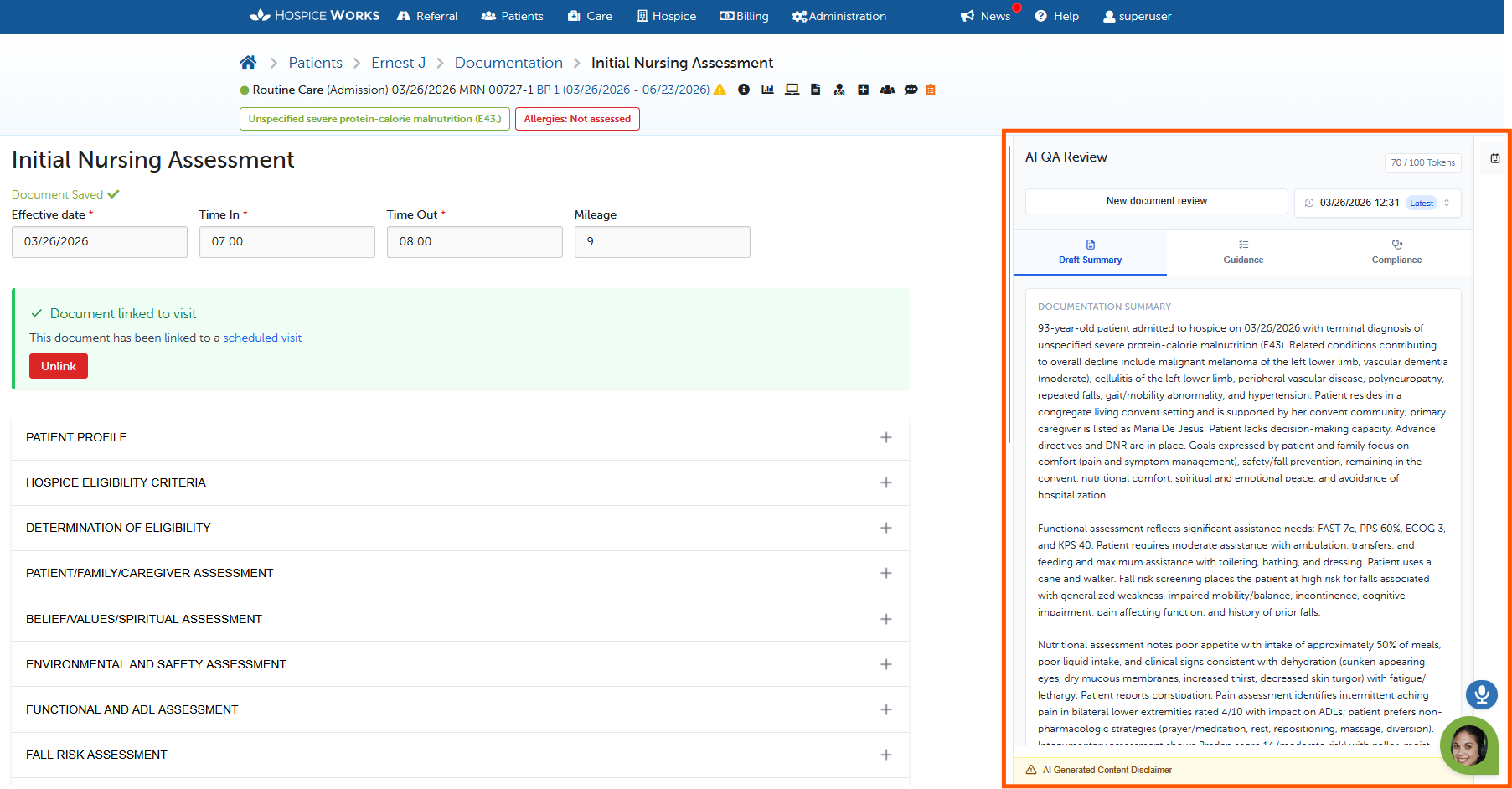
Synthesize hours of data into a professional narrative in seconds:
Narrative Overviews: Creates a cohesive summary of the patient's status.
Specific Sub-Summaries: Automatically breaks down functional decline, symptom burden, and eligibility support—the key details auditors look for.
Push-to-Document: Review the draft, make edits, and click once to push it directly into the official record.
Behind the Scenes: The "Comprehensive Prompt"
We ensure clinical accuracy through a Rules-Based Prompting Engine.
Instead of letting the AI "freestyle," we provide it with a massive, structured instruction set (the Comprehensive Prompt) for every review. This prompt directs CMS specific hospice clinical rules and logic. When you click "New Document Review," the system sends your data along with these expert instructions, forcing the AI to act as a specialized Hospice Quality Auditor rather than a general chatbot.
Q&A: Structured Data & Evidence Use
Q: How does the AI stay accurate without "hallucinating"? A: We use Structured Data Payloads. We don't just send the AI a wall of text; we send organized data points (FAST scales, vitals, etc.) matched against our Comprehensive Prompt Rules. The AI is strictly bound by these instructions to only use the data you provided.
Q: What is the "Evidence Use" approach? A: We believe in transparency. Whenever the AI suggests a care plan or flags a gap, it displays the "Evidence Used" box. This points directly to the specific part of your assessment that triggered the logic. This makes it easy for you to verify the AI’s reasoning at a glance.
AI Disclosure & Professional Responsibility
IMPORTANT: The INA AI QA feature provides recommendations only.
The AI is a "meticulous peer" double-checking your work, but it is not a replacement for clinical judgment. The "Human-in-the-Loop" philosophy means the clinician is always the final authority. You must review, edit, and approve all AI-generated content. No care plan or summary is official until it has been vetted and signed off by the licensed clinician.