
Overview
The Medication Management update streamlines how medications are entered and maintained. You can now add medications without an immediate Care Plan link and manage their status directly through a simplified Manage interface. Instead of blocking the workflow, the system allows the order to proceed and generates alerts to remind clinicians to link the Care Plan afterward.
1. Adding Medications
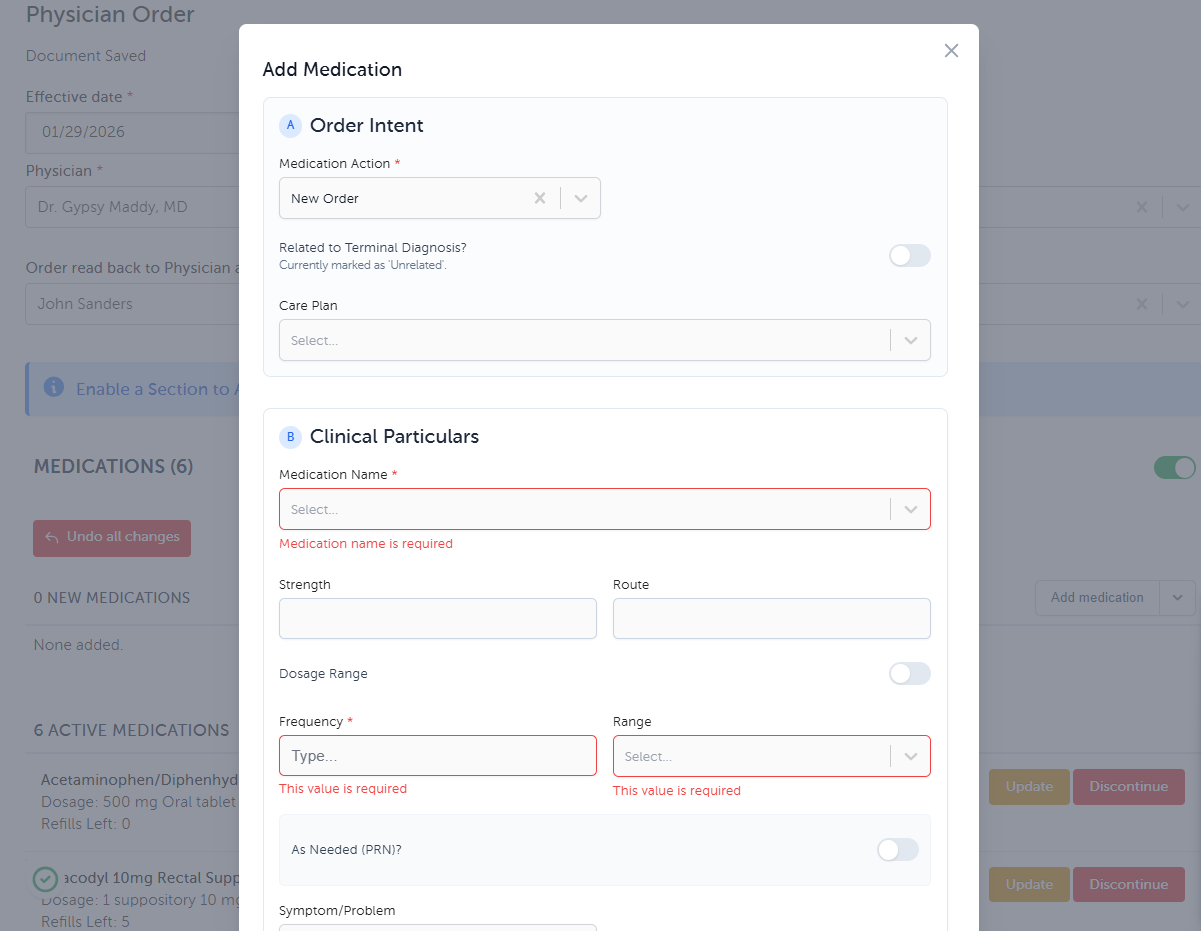
When adding a medication via a Physician Order, you must categorize it based on the patient's history using the modern medication form.
A. New Order
Definition: Medications prescribed for the first time by the hospice team.
Process: Search for the medication, complete dosing details, and ensure the Existing / Continuing Medication toggle is OFF.
B. Existing - Continuing
Definition: Medications the patient was taking prior to hospice admission that are being continued.
Process: Toggle the Existing / Continuing Medication switch to ON. This documents the medication in the active list without necessarily generating a "new" order line.
C. Existing - Discontinued
Definition: Historical medications the patient was taking that the hospice team is stopping upon admission.
Process: Select the discontinued status to ensure an accurate "Medication Reconciliation" at admission.
2. The "Manage Medication" Options
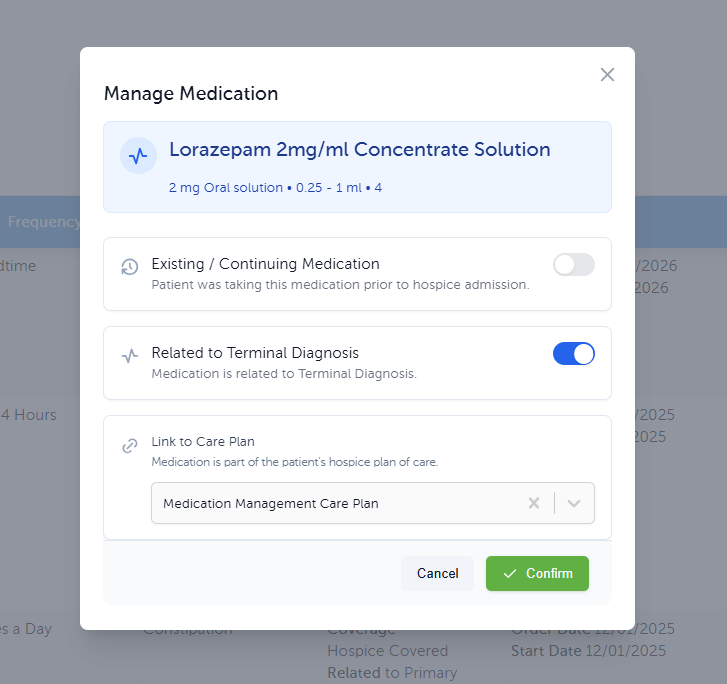
In the Medications tab on the Patient Dashboard, within the Medication List, the Manage button opens a window with three primary configuration options for that specific drug:
Existing / Continuing Medication: Use this toggle to indicate if the patient was taking the medication prior to hospice admission.
Related to Terminal Diagnosis: Use this toggle to confirm if the medication is related to the patient’s terminal diagnosis.
Link to Care Plan: This dropdown allows you to associate the medication with the patient’s hospice plan of care (e.g., linking Morphine to a "Pain Management Care Plan").
3. Workflow Flexibility: Linking Care Plans Later
Medications can be added quickly without being tied to a Care Plan immediately, allowing clinicians to focus on urgent patient needs.
Add Now: Enter the medication details and leave the Care Plan section blank if needed during a rapid admission. The system will allow the order to process.
Post-Order Alerts: The system generates alerts to remind clinicians that a medication is active but not yet linked to a Care Plan.
Link Later: When ready, go to the Medication List, click Manage, and select the appropriate Care Plan from the dropdown to link it.